

Santre Layout
Brochures, ready for print.
Set magazines, brochures and reports across spreads, with text that flows from frame to frame and type set with care. In Santre Layout, one document can go to press as PDF and out as an ebook.
Alternative to
Spring catalogue spread
Sample content

Santre Layout with fictional sample content. The window follows the layout of the established application it is built on.
What is inside.
Spreads and parent pages
Build the document as spreads and put folios, running heads and grids on parent pages. Every page based on a parent picks up its changes.
Threaded text frames
Link frames through their in and out ports so a story runs across columns and pages, with a thread line showing the path. Text wraps around pictures and pull quotes.
Paragraph-level composition
Line breaks are chosen for the whole paragraph, with dictionary hyphenation, word, letter and glyph-scaling justification and optical margin alignment. Lines break the same way on screen and in the PDF.
Styles, tables and grids
Paragraph and character styles keep type consistent across the document. Tables, columns, a baseline grid, tabs, rules and shading handle structured content.
Colour for print
Work in CMYK, RGB or Lab with named process swatches, tints and gradients in the Swatches panel.
Several outputs, one file
Export PDF/X-4 for press, PDF/A-2b for archives, EPUB for readers and an editable .pptx for a presentation. PNG renders of each page cover proofs and previews.
Type set by the paragraph
Whole-paragraph line breaking, hyphenation and optical margins give even, readable columns.
What you see is what prints
Line breaks on screen match the PDF, so proofs hold no surprises.
Type for many scripts
Composition rules for Japanese, Chinese, Korean and Arabic text are built into the type engine.
In practice.
Set a magazine feature
Start from a parent page with three columns and a baseline grid, place the story in the first frame and thread it through the spread. Wrap the text around a pull quote and apply paragraph styles for the deck, body and captions.
Send a brochure to the printer
Define the brand colours as CMYK process swatches and apply them through styles. Export a PDF/X-4 file and proof the pages as PNG renders before it goes out.
Publish the ebook edition
Keep the styles from the print layout and export the same document as EPUB. The text reflows for reading devices while the print PDF stays as designed.
Made for
Editorial designers
Lay out multi-column features with threaded, hyphenated text, pull quotes and folios.
Print production teams
Prepare PDF/X-4 files with CMYK process swatches for the press.
Publishers
Produce the print edition and the EPUB edition from one document.
Multilingual publishing
Set Japanese, Chinese, Korean and Arabic text with the composition rules each script needs.
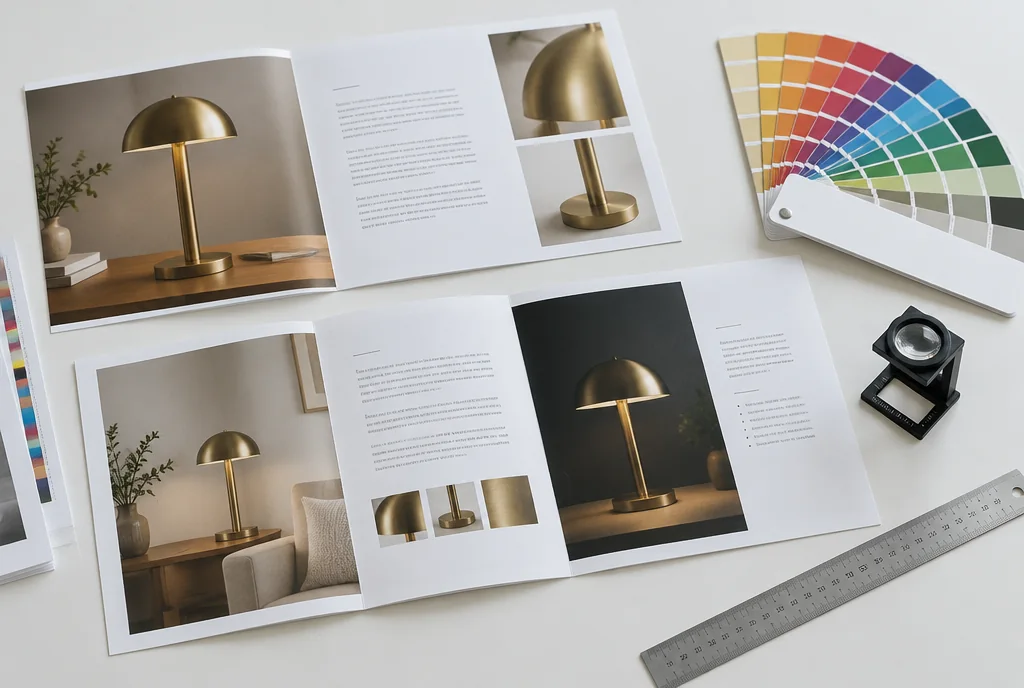
The proofing table: the brochure set in Layout, proofed as a PDF.
Illustrative scene
Opens and saves.
IDML and .indd files open, but how closely they match the original layout on real-world files is still being measured.
At the desk.
Control panel
Position, size and text settings for the selection sit in one strip, measured in picas or your chosen unit.
Properties panel
Text frame options such as columns and insets change in place for the selected frame.
Start screen
Open a recent file, start a new document or open a sample magazine to explore.
Crash recovery
Open documents are kept in a recovery folder and reopen after an unexpected quit.
Good to know.
- Can Santre Layout open IDML and .indd files?
- Yes, it opens IDML, .indd and .indt files. How closely they match the original layout on real projects is still being measured, so check each spread before you continue the work.
- Which PDF standards does Santre Layout export?
- PDF/X-4 for commercial print and PDF/A-2b for long-term archiving.
- Can Santre Layout make an ebook?
- Yes. The same document exports as a reflowable EPUB. Fixed-layout EPUB is on the roadmap.
Explore the Stack.
Every app in the Stack is designed around one sign-in, one profile and one place for files, so work moves between them.
 Santre PhotoPrepare the images for the page
 Santre VectorDraw the logos and diagrams
 Santre PDFReview and comment on the proof PDF
- Image editingSantre Photo
- Vector illustrationSantre Vector
- Video editing
 Santre Film
- Photo library and RAW
 Santre Light
- PDF editingSantre PDF
- Motion graphics and VFX
 Santre Effects
- Interface design
 Santre Interface
- Word processing
 Santre Docs
- Audio recording
 Santre Sound
- Presentations
 Santre Deck
- CAD and drafting
 Santre CAD
- Spreadsheets
 Santre Grid
- Document intelligence
 Santre Document Intelligence